Import / Export: Article images
Please mind that you can only add new images with this import, it is not possible to delete images by using an import.
Before an import to the live-system is done, you should create a database backup. In any case the import should be tested in a test- or staging-system.
Basic images
For importing images for items we need to mind, that images are always assigned to the main article. It is not necessary to import the same image multiple times for each variant. If you want to import images with the same name multiple times you can configure in the plugin-configuration.
The image relation is always structured like this group:option For example like this:
{Size:L}
{Color:Red|Size:XL}
{Color:Yellow|Size:S|Taste:sweet}
{Color:Red|Size:XL}&{Size:L}
Currently an export of images is not possible via cli.
Provided fields incl. description
| field name | description | values | characteristics |
|---|---|---|---|
| ordernumber | item-number | Text | identifier of an item |
| image | link to the item imate | HTTP-link | Must not be empty |
| main | preview image (yes/no) | boolean (1 or 2) | |
| description | image description | text | |
| position | position on the detail page | numeric | the lowest value on the first position |
| width | size of the image(width) | value in pixel | Not used by default, not necessary |
| height | size of the image(height) | value in pixel | Not used by default, not necessary |
| relations | variant/image mapping | text | Structured like this group:option, examples in the area characteristics |
| thumbnail | create thumbnails for imported images (yes/no) | boolean (0 or 1) | If the option is 0 you have to create the thumbnails manually or via console |
Minimal import
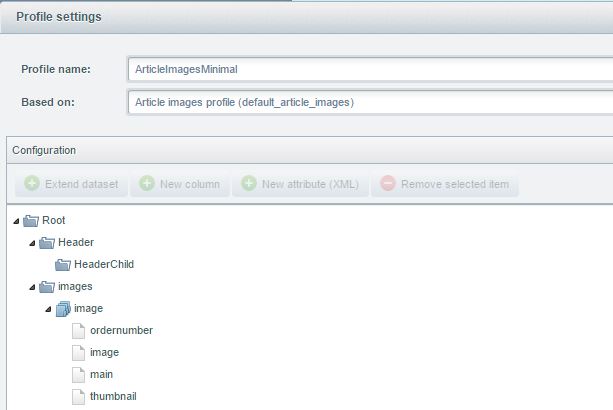
This import only contains the fields ordernumber, image and main. Those are the mandatory fields for every
import.
The profile for the import can be downloaded
here: ArticlesImagesMinimal.json
You get an example xml-file
here: ImagesMinimal.xml
You get an example csv-file
here: ImagesMinimal.csv
Default profile
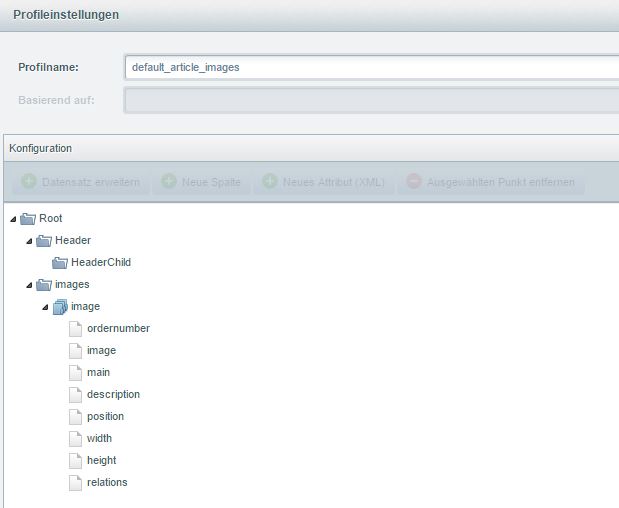
This is the default profile for item images. All additional information fields for image imports are
included.
The profile for this import can be selected from the list of default profiles by the name "Article images profile
(default_article_Images)".
You get an example xml-file here: Images.xml
You get an example csv-file
here: Images.csv