Import / Export: Newsletter Recipient
Newsletter recipients are an important part of successful newsletter marketing. However, you
need to pay attention to certain fields such as the email address and the recipient group. It is important to note that
when importing, you can only add new recipients or update existing ones, and it is not possible to delete recipients via
an import.
In the following, you will learn how to assign an email address to different recipient groups and what a sample file for
importing and exporting newsletter recipients looks like.
General information
When importing newsletter receivers you have to mind that you can only edit existing or add new receivers. It is not possible to delete receivers by using an import.
Basic Categories
Provided fields incl. description
| Feldname | Beschreibung | Gültige Werte | Besonderheiten |
|---|---|---|---|
| e-mail-address of the receiver | text | ||
| groupName | newsletter-group | text | |
| salutation | salutation | text | Only used for receivers without account, corresponds with the additional fields in the registration |
| firstName | first name | text | Only used for receivers without account, corresponds with the additional fields in the registration |
| lastName | last name | text | Only used for receivers without account, corresponds with the additional fields in the registration |
| street | street | text | Only used for receivers without account, corresponds with the additional fields in the registration |
| zipCode | zip code | text | Only used for receivers without account, corresponds with the additional fields in the registration |
| city | city | text | Only used for receivers without account, corresponds with the additional fields in the registration |
| lastNewsletter | last newsletter | date | |
| lastRead | last read | date | |
| userID | user-id | numeric | Only used for receivers with account |
Minimal import
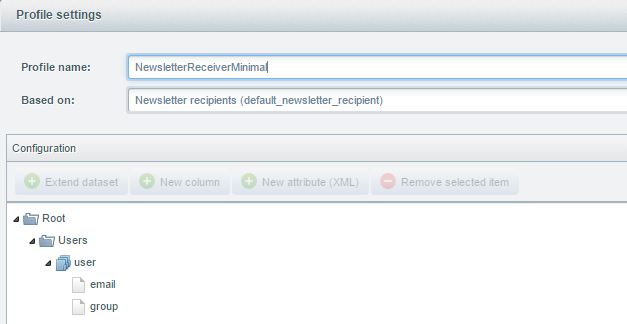
This import only provides the mandatory fields to create a new newsletter receiver. For this the mail-address and the
receiver-group is needed. A mail-address can be added multiple times for different groups.
The profile for this import can be downloaded
here: NewsletterReceiverMinimal.json
You get an example xml-file here: NewsletterMinimal.xml
You get an example csv-file
here: NewsletterMinimal.csv
Default profile
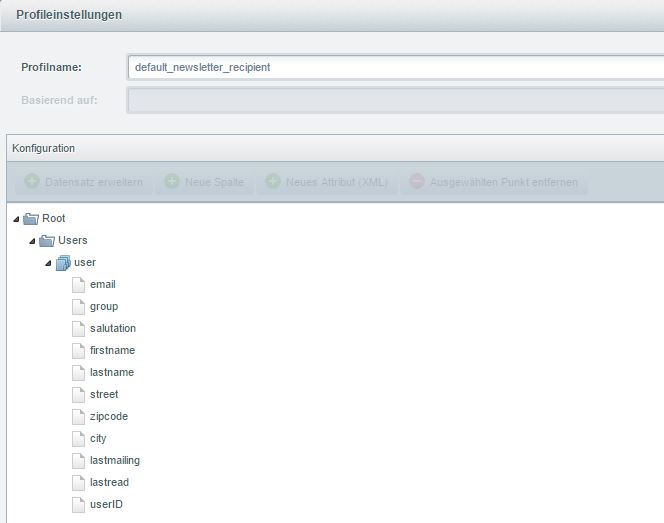
The default profile contains the mandatory fields incl. some often used detail fields. The field userID is only filled
with 1 for newsletter receivers to existing shop users, the node groupName is empty for those.
The profile for this import can be selected from the list of default profiles by the name "newsletter receiver
(default_newsletter_recipient)".
You get an example xml-file here: Newsletter.xml
You get an example csv-file
here: Newsletter.csv