Import / Export: Article translations
Please mind that you can only edit and add translations to exisiting items. It is not possible to create completely new items with this profile type.
General information
Before an import to the live-system is done, you should create a database backup. In any case the import should be tested in a test- or staging-system.
Basic translations
When importing item translations we have to keep in mind, to include the correct languageId for the translations. This id can be found in the table s_core_multilanguage. Attributes can only be imported if they are marked as translatable in the basic settings.
Provided fields incl. description
| field name | description | values | characteristics |
|---|---|---|---|
| articleNumber | item-number | alphanumeric | |
| languageId | id of the language | numeric | Can be found in the database-table s_core_shops |
| name | translation of the name | text | |
| keywords | keywords, relevant for the shopware search | text | |
| description | translation of the short description | text | |
| descriptionLong | translation of the description | text | |
| additionaltext | translation of the variant text | Text | |
| metatitle | translation of the meta-title | text | |
| packunit | translation of the pack unit | Text | |
| attr# | translation of the free text fields | Text |
Minimal import
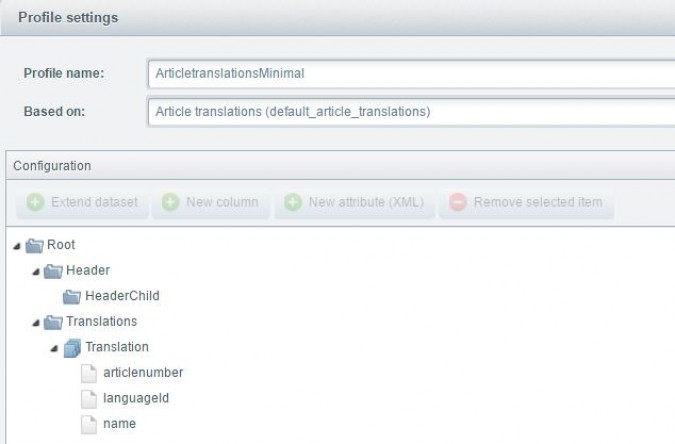
This profile provides the mandatory fields for the import incl. the translatable field name. Any profile has to include
the languageId as well as the articlenumber and one translatable field.
The profile for the import can be downloaded
here: ArticlesTranslationsMinimal.json
You get an example xml-file here: ArticlesTranslationsMinimal.xml
You get an example csv-file
here: ArticlesTranslationsMinimal.csv
Currently exsisting translations are not used in an import but are completely replaced by the new values. If you want to keep your existing translations you have to export those and keep them in the import file.
Default profile
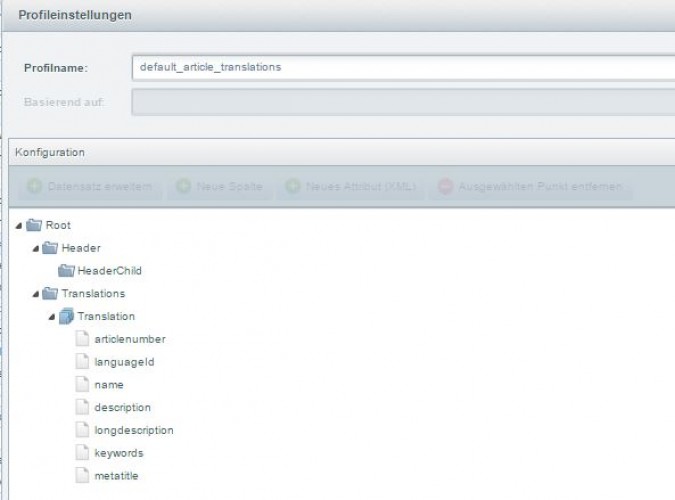
This is the default profile for item translations and contains all translatable item fields. Additional you could add
translatable attribute fields, if those are defined in the basic settings.
The profile for this import can be selected from the list of default profiles by the name "Article translations
(default_article_translations)".
Here you can download the profile:
default.article.translation.json
You get an example xml-file here: ArticlesTranslations.xml
You get an example csv-file
here: ArticlesTranslations.csv