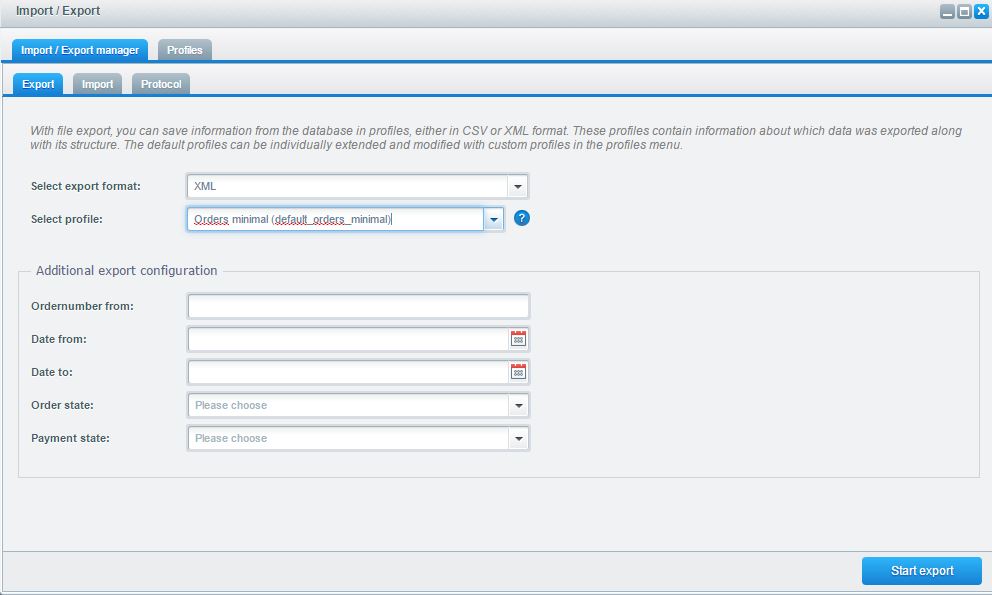
Import / Export: Orders
Orders
For the order export you have two different profile types. The default orders profile exports a line with information for each position of the order, the orders main data profile type only exports one line with the basic information of the order and no position information. Please mind that you can only update the order state via import, it is not possible to import complete orders.
General information
Before an import to the live-system is done, you should create a database backup. In any case the import should be tested in a test- or staging-system.
Basic orders
Please keep in mind that you can not import complete orders, but only update the order state. In the default order profile, there is a separate entry for every order position. If you only want the basic information of every order, you have to use the profile orders main data.
Complete orders can not be imported. You can only import the order state.
The function Export of orders provides the following filters:
- Ordernumber from: Value of an ordernumber the export starts from
- Date from: Selection of a start-date
- Date to: Selection of an end-date
- Order state: Filter of an order state
- Payment state: Filter of a payment state
Provided fields incl. description
| field name | description | values | characteristics |
|---|---|---|---|
| orderId | ID of the order | numeric | ID of the order from the table s_order |
| orderDetailId | ID of the order detail | numeric | ID of the order from the table s_order_details |
| articleId | ID of the item | numeric | |
| number | ordernumber | alphanumeric | Mandatory key to the order |
| customerId | ID of the customer | numeric | ID of the customer from the table s_user |
| status | ID of the order state | numeric | ID of the order state from s_core_states |
| cleared | ID of the payment state | numeric | ID of the payment state from s_core_states |
| orderTime | order date | date | |
| transactionId | transaction-id | text | |
| partnerId | partner-ID | text | |
| shopId | ID of the shop | text | |
| invoiceAmount | amount of the order | numeric | |
| invoiceAmountNet | net amount of the order | numeric | |
| invoiceShipping | shipping costs | numeric | |
| invoiceShippingNet | shipping costs net | numeric | |
| comment | comment | text | |
| customerComment | customer-comment | text | |
| internalComment | internal comment | text | |
| net | net | boolean | Decides if the invoice is created with net prices |
| taxfree | tax free | boolean | Decides if the invoice is created with taxes |
| temporaryID | temporary ID | numeric | |
| referer | connection to the partner | numeric | |
| clearedDate | payment date | date | |
| trackingCode | tracking-code | text | |
| languageIso | ID of the language | numeric | Found in the s_core_multilanguage |
| currency | short identifier of the currency | text | |
| currencyFactor | conversion factor of the currency | numeric | |
| remoteAdress | IP-address | text | |
| paymentId | payment mean | numeric | Found in the table s_core_paymentmeans |
| paymentDescription | name of the payment mean | text | |
| paymentStatusId | ID of the payment mean | numeric | |
| paymentStatusDescription | name payment state | text | |
| dispatchId | ID of the shipping type | numeric | Found in s_premium_dispatch |
| dispatchDescription | description of the shipping type | text | |
| taxId | ID of the tax rate | numeric | Found in s_core_tax |
| taxRate | tax rate | numeric | |
| statusId | ID of the order state | numeric | |
| articleNumber | item number | alphanumeric | |
| articleName | Name of the item | text | |
| price | price of the item | numeric | |
| quantity | quantity of the item | numeric | |
| invoice | invoice created | boolean | |
| shipped | shipped | boolean | |
| shippedGroup | shipping group | boolean | |
| releasedate | release date | date | |
| tax | ID of the tax | numeric | Found in s_core_tax |
| esd | ESD-item | boolean | |
| config | configurator | boolean | |
| mode | mode of the item | numeric | 0: normal item, 2: voucher, 4: discount |
| billingCompany | company name of the invoice-address | text | |
| billingDepartment | department of the invoice-address | text | |
| billingSalutation | salutation of the invoice-address | text | |
| billigFirstname | firstname of the invoice-address | text | |
| billingLastname | lastname of the invoice-address | text | |
| billingStreet | street of the invoice-address | text | |
| billingZipCode | zip code of the invoice-address | text | |
| billingCity | city of the invoice-address | text | |
| billingVatId | Vat ID of the invoice-address | text | |
| billingPhone | phone number of the invoice-address | text | |
| billingCountryName | country name of the invoice-address | text | |
| billingCountryIso | country-id of the invoice-address | numeric | |
| billingAdditionalAddressLine1 | additional address line 1 of the invoice-address | Text | |
| billingAdditionalAddressLine2 | additional address line 2 of the invoice-address | Text | |
| shippingCompany | company name of the shipping-address | text | |
| shippingDepartment | department of the shipping-address | text | |
| shippingSalutation | salutation of the shipping-address | text | |
| shippingFirstname | firstname of the shipping-address | text | |
| shippingLastname | lastname of the shipping-address | text | |
| shippingStreet | street of the shipping-address | text | |
| shippingZipcode | zip code of the shipping-address | text | |
| shippingCity | city of the shipping-address | text | |
| shippingCountryName | country name of the shipping-address | text | |
| shippingCountryIso | country-id of the shipping-address | numeric | |
| shippingAdditionalAddressLine1 | additional address line 1 of the shipping-address | Text | |
| shippingAdditionalAddressLine2 | additional address line 2 of the shipping-address | Text | |
| eMail-address | text | ||
| customergroup | customer-group | text | |
| AttributeAttribute1 | attribute of the order | text | |
| AttributeAttribute2 | attribute of the order | text | |
| AttributeAttribute3 | attribute of the order | text | |
| AttributeAttribute4 | attribute of the order | text | |
| AttributeAttribute5 | attribute of the order | text | |
| AttributeAttribute6 | attribute of the order | text |
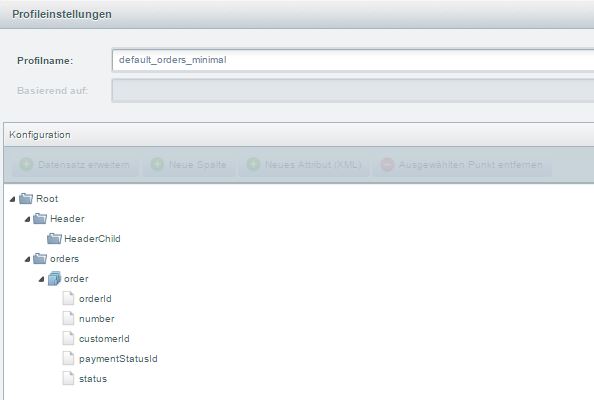
Minimal import to update the state
Currently you can only update the order state.
The profile for this import can be selected from the list of default profiles by the name "Orders minimal
(default_orders_minimal)".
You get an example xml-file here: OrdersMinimal.xml
You get an example csv-file
here: OrdersMinimal.csv
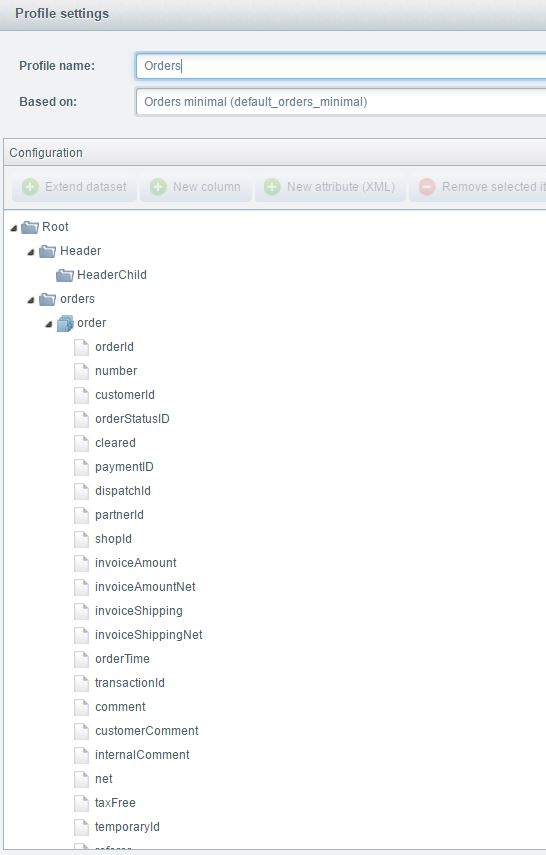
Default profile orders
This is the default profile for orders. Every position gets a separate entry in this profile.
The profile for this import can be downloaded
here: Orders.json
You get an example xml-file here: Orders.xml
You get an example csv-file
here: Orders.csv
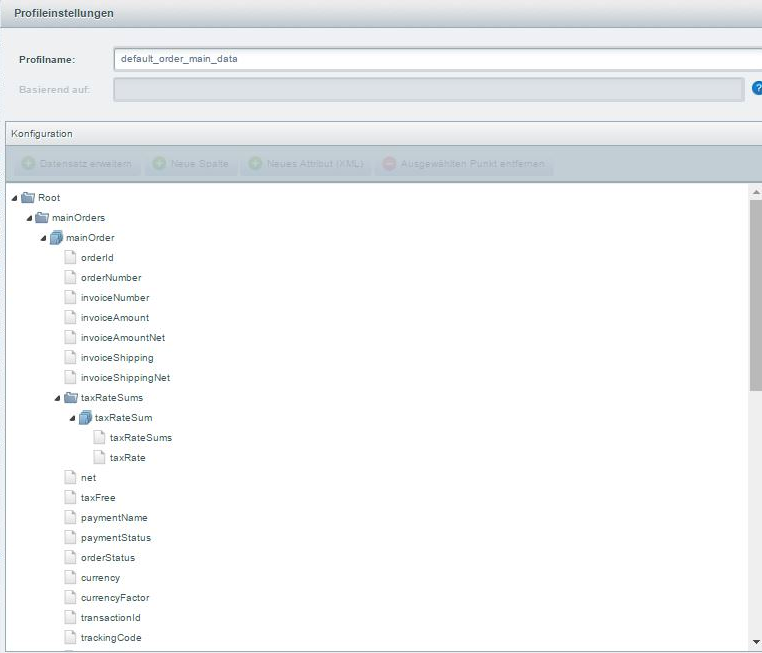
Default profile order main data
This is the default profile to create a summarized entry for each order.
The profile for this import can be selected from the list of default profiles by the name "Orders Main Data
(default_order_main_data)".
You get an example xml-file
here: OrdersMainData.xml
You get an example csv-file
here: OrdersMainData.csv